Checkly
Checkly is a Playwright-native test reporting platform. Unlike CI-only tools, it stores screenshots, traces, and console output alongside test results — making failures easy to investigate without leaving your browser.
Setup
1. Install the reporter
npm install --save-dev @checkly/playwright-reporter
2. Add the reporter to your config
Import createChecklyReporter and add it to the reporter array in mobilewright.config.ts:
import { defineConfig } from 'mobilewright';
import { createChecklyReporter } from '@checkly/playwright-reporter';

export default defineConfig({
  reporter: [
    ['list'],
    createChecklyReporter({
      sessionName: 'Smoke suite',
    }),
  ],
});
3. Set credentials
The reporter reads your Checkly credentials from environment variables:
export CHECKLY_API_KEY=<your-api-key>
export CHECKLY_ACCOUNT_ID=<your-account-id>
Then run your tests as usual:
npx mobilewright test
Results are uploaded automatically at the end of the run.
4. View results
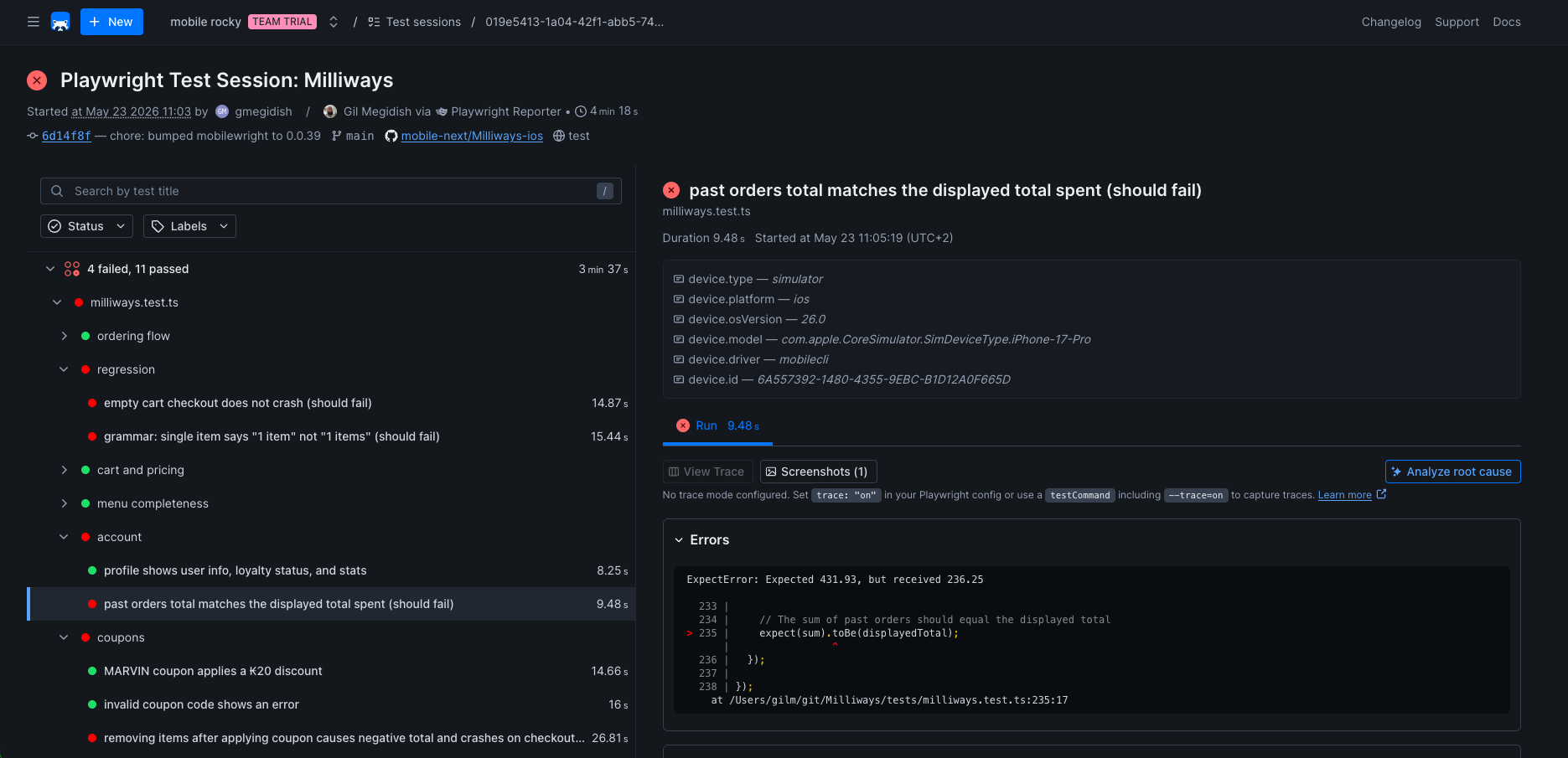
Open on Test Sessions on the left sidebar, and you will see the uploaded report.
Configuration
Pass options to createChecklyReporter() for full IDE intellisense:
| Option | Type | Description |
|---|---|---|
sessionName | string | Name shown in the Checkly dashboard for this run |
outputDir | string | Directory for report output. Defaults to Playwright's outputDir |
dryRun | boolean | Generate the report locally without uploading |
verbose | boolean | Show worker stdout/stderr in the terminal. Defaults to true |
showProgress | boolean | Print real-time test progress. Defaults to true |
showSummaryTable | boolean | Print a per-project summary table at the end. Defaults to true |
scrubbing | ScrubbingOptions | false | Scrub secrets from reports. Auto-detects common patterns by default |
CI example (GitHub Actions)
- name: Run Mobilewright tests
  env:
    CHECKLY_API_KEY: ${{ secrets.CHECKLY_API_KEY }}
    CHECKLY_ACCOUNT_ID: ${{ secrets.CHECKLY_ACCOUNT_ID }}
  run: npx mobilewright test
Was this page helpful?