Inspector
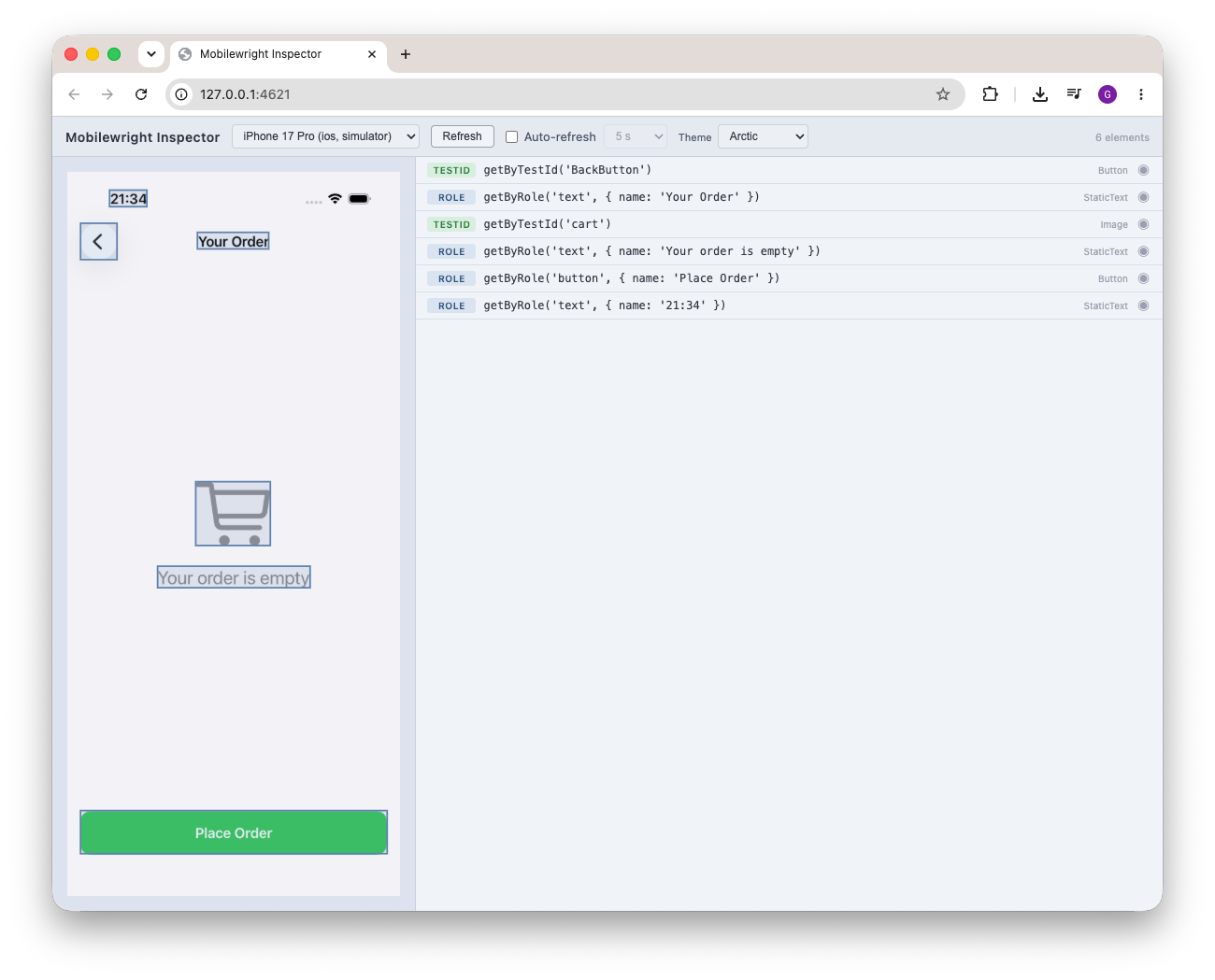
The Mobilewright Inspector is a browser-based UI for exploring the elements on a connected device. It shows a live screenshot next to every element and the best locator Mobilewright would use to target it — so you can pick reliable locators without guessing.
Open the Inspector
npx mobilewright inspect
The Inspector starts a local server and opens automatically in your browser. Use
--port to choose a specific port (default: 4621):
npx mobilewright inspect --port 8080
Using the Inspector
- Pick a device from the selector at the top. Any connected device, simulator, or emulator shows up here.
- Click Refresh to capture the current screen, or enable Auto-refresh and choose an interval (1 s – 1 min) to keep it in sync as you navigate the app.
- The left pane shows the screenshot; the right pane lists every element with its recommended locator.
- Click a row to highlight that element's bounding box on the screenshot, or click a box on the screenshot to select its row.
You can switch the color Theme (Void, Aurora, Crimson, Arctic, Synthwave) from the header — purely cosmetic.
Locator priority
Each element is annotated with the single best locator, following the same priority order the query engine uses:
getByTestId > getByRole > getByLabel > getByText
If two elements resolve to the same locator, both get a dup badge — a signal
that the locator isn't unique and you should add a testID (or pick a more specific
query) before relying on it in a test.
Stopping the Inspector
Press Ctrl+C in the terminal. The Inspector disconnects from the device and shuts
the server down.